
Haben Sie eine Solaranlage oder einen dynamischen Stromvertrag?
Verbinden Sie Home Connect mit der HomeWizard Energy-App und starten Sie Ihre Waschmaschine, Ihren Trockner und Ihren Geschirrspüler automatisch, sobald die Sonne scheint oder der Strom am günstigsten ist!

Automatischer Start Ihrer Haushaltsgeräte
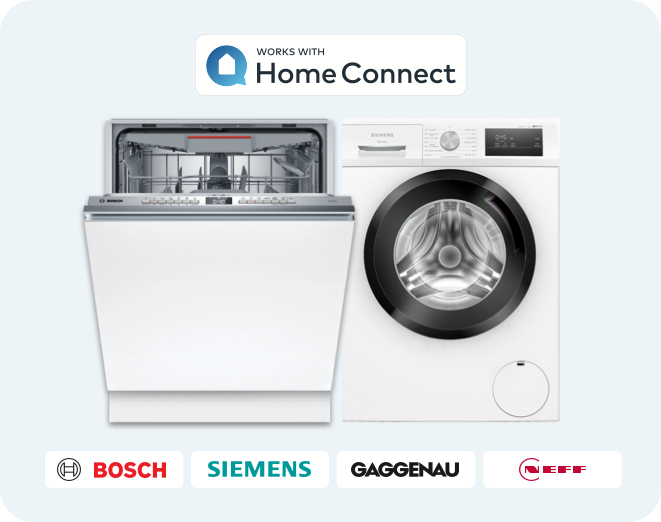
Wenn Sie ein Haushaltsgerät von Bosch, Siemens, Gaggenau oder Neff haben, verfügt dieses höchstwahrscheinlich über Home Connect. Sie erkennen dies an dem „Fernstart“-Symbol auf Ihrem Gerät.
Haben Sie ein P1 Meter installiert? Dann müssen Sie nicht mehr darüber nachdenken, wann der günstigste Zeitpunkt ist, um Ihr Gerät zu betreiben. Automatisieren Sie den Start ganz einfach mit der HomeWizard Energy-App! Koppeln Sie Ihr Home Connect-Konto und legen Sie intelligente Aufgaben fest. So wird Nachhaltigkeit erschwinglich.
Waschen und Trocknen mit eigenem Solarstrom
Die Sonne scheint und Ihre Solaranlage erzeugt Strom. Es ist der perfekte Zeitpunkt, um Ihre Waschmaschine, Ihren Trockner oder Ihren Geschirrspüler einzuschalten. Zum Glück haben Sie Ihrem Home Connect-Gerät eine intelligente Aufgabe zugewiesen, sodass es sich automatisch einschaltet, wenn genügend Solarstrom zur Verfügung steht. Kostengünstig und nachhaltig.
Schalten Sie Ihre Waschmaschine, Ihren Trockner oder Ihren Geschirrspüler ein, wenn der Strom am günstigsten ist
Haben Sie einen dynamischen Stromvertrag? Mit intelligenten Aufgaben können Sie Ihr Gerät einschalten, wenn der Strom am günstigsten ist. Geben Sie an, wann das Gerät eingeschaltet werden soll, z. B. zwischen 02:00 und 15:00 Uhr. Dann wird Ihr Gerät eingeschaltet, sobald der Strom am günstigsten ist. Besser geht’s nicht!

HomeWizard P1 Meter
Das P1 Meter ist ein unverzichtbares Zubehör, das Ihnen in Echtzeit eine Übersicht über Ihren Stromverbrauch, Ihren Solarstromüberschuss und Ihren Gasverbrauch gibt. Stecken Sie das P1 Meter in den P1-Anschluss Ihres Smart Meters und starten Sie die Installation.

Geld und Energie sparen
Sparen Sie Stromkosten, indem Sie möglichst oft mit Solarstrom waschen und trocknen oder dies zu den günstigsten Zeiten tun. Das ist gut für die Umwelt und Ihren Geldbeutel.
Billiger und nachhaltiger
Immer mehr Menschen haben einen dynamischen Stromvertrag. Damit Sie nicht zu viel bezahlen, nutzen Sie diese clevere Funktion! Wenn der Strom günstiger ist, bedeutet das auch, dass er nachhaltiger ist.
Vermeidung von Netzüberlastungen
Die Überlastung des Stromnetzes ist ein heißes und viel diskutiertes Thema. Profitieren Sie von der Möglichkeit, zu Zeiten zu waschen und zu trocknen, in denen wenig Strom verbraucht wird bzw. in denen viel Strom zur Verfügung steht, denn dann ist er am günstigsten.
Häufig gestellte Fragen
Was ist Home Connect?
Was ist HomeWizard?
Wie kann ich mein Gerät mit der Home Connect-App verbinden?
Wie kann ich Home Connect mit der HomeWizard Energy-App verbinden?
Kann ich meine Waschmaschine, meinen Trockner oder meinen Geschirrspüler verbinden?
Was ist eine Solar-Aufgabe?
Wie kann ich eine Solar-Aufgabe festlegen?
Wie kann ich eine dynamische Tarif-Aufgabe einrichten?
Warum werden die Tarife für morgen nicht angezeigt?
Ist die Nutzung kostenlos?
Wie kann ich intelligente Aufgaben so einrichten, dass Programme automatisch ausgeführt werden?
Was brauche ich, um Home Connect einzurichten?
Wozu brauche ich den P1 Meter?
Warum werden meine Geräte nicht in der HomeWizard Energy-App angezeigt, nachdem ich Home Connect verbunden habe?
Ich habe eine Kaffeemaschine, eine Mikrowelle oder einen Backofen mit Home Connect. Kann ich auch diese verbinden?
Warum wurde mein Gerät nicht gestartet?
Muss ich jedes Mal zur Aufgabeneinrichtung zurückkehren, wenn ich einen Zeitplan für Solar- oder Tarif-Aufgaben erstellen möchte?
Können Sie bitte diese tolle Lösung, die ich für [Gerät hier] habe, hinzufügen?
Können Sie mir bitte helfen? Es funktioniert bei mir nicht.
Warum muss ich den dauerhaften Fernstart deaktivieren (und wie mache ich das)?
Über Home Connect können Sie Ihre Haushaltsgeräte steuern und automatisieren. Sie können diese starten oder anhalten und Programme auswählen oder Zeitschaltuhren einstellen. Sogar Push-Benachrichtigungen lassen sich einstellen, um Sie darüber zu informieren, wenn das Programm beendet ist. Dank der Kombination aus P1 Meter und der HomeWizard Energy-App können Sie Ihre Waschmaschine, Ihren Trockner oder Ihren Geschirrspüler starten, wenn es am günstigsten ist oder wenn Sie einen Überschuss an Solarstrom haben.
Was ist HomeWizard?
HomeWizard hilft Ihnen, den Verbrauch zu senken und gleichzeitig Geld zu sparen und die Umwelt zu schonen. Dank der HomeWizard-Geräte erhalten Sie in Echtzeit einen Einblick in den Energieverbrauch Ihres Haushalts. HomeWizard hilft Ihnen, Energie intelligent zu nutzen, indem Sie Ihre Haushaltsgeräte mit selbst erzeugtem Solarstrom oder zu den günstigsten Stunden des Tages betreiben.
Wie kann ich mein Gerät mit der Home Connect-App verbinden?
Schritt 1: Laden Sie die Home Connect-App herunter und erstellen Sie ein Home Connect-Konto.
Schritt 2: Scannen Sie den QR-Code in der Schnellstartanleitung ODER verwenden Sie die Home Connect-Verbindungsanleitung, um den QR-Code für Ihr Gerät zu finden.
Wie kann ich Home Connect mit der HomeWizard Energy-App verbinden?
Nachdem Sie Ihr Home Connect-fähiges Gerät angeschlossen haben (siehe Frage oben), öffnen Sie die Einstellungen in der HomeWizard Energy-App. Dort wählen Sie „Zähler“ und „+ Neues Gerät hinzufügen“ aus. Scrollen Sie nach unten und wählen Sie „Home Connect“. Es wird ein Browser geöffnet, in dem Sie sich mit Ihrem Home Connect-Konto anmelden können. Sobald Sie angemeldet sind, stimmen Sie den Allgemeinen Geschäftsbedingungen zu und kehren zur Energy-App zurück. Wählen Sie nun die Geräte aus, die Sie verbinden möchten, und klicken Sie auf „Weiter“. Und das war’s auch schon! Jetzt können Sie intelligente Aufgaben für Ihre Home Connect-fähigen Geräte einrichten.
Um HomeWizard zusammen mit Home Connect verwenden zu können, müssen Sie die Funktion „Dauerhafter Fernstart“ für Ihren Geschirrspüler deaktivieren, damit er nicht jeden Tag läuft. Bitte beachten Sie, dass „Dauerhafter Fernstart“ nicht dasselbe ist wie „Fernstart“.
Kann ich meine Waschmaschine, meinen Trockner oder meinen Geschirrspüler verbinden?
Home Connect ist für Haushaltsgeräte der Marken Bosch, Siemens, Gaggenau, Neff, Thermador, Balay, Constructa, Pitsos und Profilo verfügbar. Damit Ihr Gerät intelligente Aufgaben ausführen kann, stellen Sie sicher, dass Ihr Gerät Home Connect auch wirklich unterstützt. Achten Sie auf das Home Connect- oder WLAN-Logo auf Ihrem Gerät.
Was ist eine Solar-Aufgabe?
Eine Solar-Aufgabe ermöglicht es Ihnen, Geräte abhängig vom Überschuss an Solarstrom in Ihrem Haus ein- oder auszuschalten. Diese Funktion gibt es bereits seit dem Energy Socket. Jetzt ist sie auch für Waschmaschinen, Trockner und Geschirrspüler erhältlich, die mit Home Connect kompatibel sind.
Wie kann ich eine Solar-Aufgabe festlegen?
Nachdem Sie Home Connect verbunden haben, öffnen Sie die Einstellungen in der HomeWizard Energy-App, klicken auf „EnergySaver“ und suchen nach Ihrem Gerät. Legen Sie eine neue Aufgabe fest und wählen Sie „Solar-Aufgabe“.
Was passiert an Tagen, an denen die Sonne nicht oder nur sehr wenig scheint?Sie möchten natürlich nicht nach Hause kommen und schmutzige Wäsche oder dreckiges Geschirr vorfinden. Der intelligente Algorithmus der „EnergySaver“-Aufgabe überwacht den Überschuss an Solarstrom und versucht, diesen bestmöglich für den Betrieb Ihres Geräts zu nutzen. Wenn kein überschüssiger Solarstrom zur Verfügung steht, wird das Programm am Ende der festgelegten Zeit ausgeführt, damit Ihr Geschirr bzw. Ihre Wäsche in der Maschine nicht schmutzig bleibt.
Wie kann ich eine dynamische Tarif-Aufgabe einrichten?
Nachdem Sie Home Connect verbunden haben, öffnen Sie die Einstellungen in der HomeWizard Energy-App, wählen im Menü „EnergySaver“ und suchen das von Ihnen hinzugefügte Gerät. Legen Sie eine neue Aufgabe fest und wählen Sie „Dynamischer Tarif“.
Warum werden die Tarife für morgen nicht angezeigt?
Die von uns verwendeten Tarifdaten werden von Dritten zur Verfügung gestellt. Die Angaben werden mittags aktualisiert, sodass wir die günstigsten Stunden für den nächsten Tag ermitteln können. Sie können sicher sein, dass zur Ausführung der Aufgaben automatisch die aktuellen Tarifdaten verwendet werden, sobald sie verfügbar sind.
Ist die Nutzung kostenlos?
Selbstverständlich! Die intelligenten Aufgaben von Home Connect können Sie in der HomeWizard Energy-App völlig kostenlos einrichten und nutzen. Für die korrekte Konfiguration der Solar-Aufgaben benötigen Sie einen P1 Meter. Ohne ihn stehen uns keine Daten über den Solarstromertrag Ihres Hauses zur Verfügung.
Wie kann ich intelligente Aufgaben so einrichten, dass Programme automatisch ausgeführt werden?
Öffnen Sie die HomeWizard Energy-App und dann die Einstellungen > „EnergySaver“. Suchen Sie nach Ihrem Gerät und fügen Sie eine neue Aufgabe hinzu. Sie können eine Solar- oder dynamische Tarif-Aufgabe einrichten.
Was brauche ich, um Home Connect einzurichten?
Sie benötigen Folgendes: Einen HomeWizard P1 Meter, ein Konto und die HomeWizard Energy-App. Für die Einrichtung von Home Connect benötigen Sie eine Waschmaschine, einen Trockner oder einen Geschirrspüler, die bzw. der Home Connect unterstützt. Wir unterstützen Home Connect-Geräte von Bosch, Siemens, Gaggenau, Neff, Thermador, Balay, Constructa, Pitsos und Profilo. Ihr Gerät benötigt einen Internetzugang und eine aktive Verbindung mit Home Connect.
Wozu brauche ich den P1 Meter?
Der P1 Meter ermöglicht Ihnen einen Einblick in den Energieverbrauch Ihres Hauses. Sie können Ihre Stromtarife hinzufügen und Ihr Home Connect-Gerät mit der Energy-App verbinden. So sehen Sie, wann der Strom am günstigsten ist oder wann Sie genügend überschüssigen Solarstrom haben, um Ihr Geschirr oder Ihre Wäsche zu waschen oder zu trocknen. HomeWizard nutzt diese Daten, um den besten Zeitpunkt für den automatischen Start Ihres Geräteprogramms zu finden.
Warum werden meine Geräte nicht in der HomeWizard Energy-App angezeigt, nachdem ich Home Connect verbunden habe?
Vergewissern Sie sich, dass Sie dasselbe Home Connect-Konto verwenden, mit dem Sie Ihr Home Connect-Gerät verbunden haben. Wenn Sie neue Haushaltsgeräte einrichten möchten, öffnen Sie „Gerät hinzufügen“, wählen „Home Connect“ und aktivieren das Kontrollkästchen des neuen Geräts. Dies funktioniert nur, wenn Ihr Home Connect-Konto bereits mit Ihrer HomeWizard Energy-App verbunden ist und Sie beide miteinander verknüpft haben.
Ich habe eine Kaffeemaschine, eine Mikrowelle oder einen Backofen mit Home Connect. Kann ich auch diese verbinden?
Nein, diese Funktion ist für große Energieverbraucher gedacht: Waschmaschinen, Trockner, Geschirrspüler und Wasch-Trockner.
Warum wurde mein Gerät nicht gestartet?
Das Gerät sollte in der „EnergySaver“-Aufgabe den Status „Bereit“ aufweisen. Vergewissern Sie sich, dass Sie das gewünschte Programm ausgewählt haben, drücken Sie die Taste „Fernstart“ auf Ihrem Gerät, damit das Gerät Ihre intelligente Aufgabe ausführt, und schließen Sie die Gerätetür.
Muss ich jedes Mal zur Aufgabeneinrichtung zurückkehren, wenn ich einen Zeitplan für Solar- oder Tarif-Aufgaben erstellen möchte?
Nein, wenn Sie eine „EnergySaver“-Aufgabe eingerichtet haben, müssen Sie nicht mehr zu diesem Bildschirm zurückkehren. Sie können Ihr Gerät wie gewohnt benutzen. Alles, was Sie tun müssen, ist die Auswahl eines Programms auf Ihrem Gerät und die Betätigung der Taste „Fernstart“. Damit das Programm nicht ausgeführt wird, aktivieren Sie die Fernsteuerung nicht oder deaktivieren Sie die intelligente Aufgabe in Ihrer HomeWizard Energy-App.
Können Sie bitte diese tolle Lösung, die ich für [Gerät hier] habe, hinzufügen?
Möglicherweise! Bitte senden Sie uns eine Nachricht.
Können Sie mir bitte helfen? Es funktioniert bei mir nicht.
Lesen Sie die häufig gestellten Fragen zu Home Connect. Sie können die Verbindung mit HomeWizard nicht einrichten? Hier finden Sie eine ausführliche Anleitung zum Einrichten der Verbindung oder kontaktieren Sie uns.
Was ist der Unterschied zwischen manuellem und dauerhaftem Fernstart?
Der Unterschied zwischen den Optionen für manuellen und dauerhaften Fernstart besteht darin, dass Sie bei der manuellen Einstellung die Fernstartfunktion jedes Mal aktivieren müssen, um sie zu nutzen. Drücken Sie dazu nach dem Beladen des Geschirrspülers die Fernstarttaste an Ihrem Gerät. Das Programm startet dann gemäß der von Ihnen eingestellten „EnergySaver“-Aufgabe. Der manuelle Fernstart ist die Standardeinstellung bei allen Home Connect-Geschirrspülern. Bitte schalten Sie die Funktion „Dauerhafter Fernstart“ aus, wenn Sie sie aktiviert haben.
Warum muss ich den dauerhaften Fernstart deaktivieren (und wie mache ich das)?
Dauerhafter Fernstart bedeutet, dass die Fernstartfunktion permanent aktiviert ist. Wenn Sie die Tür Ihres Geschirrspülers schließen, startet das Gerät sein Programm, sobald die Anforderungen der „EnergySaver“-Aufgabe erfüllt sind. Wenn Sie also die Tür schließen, bevor Sie in den Urlaub fahren, wird das eingestellte Programm täglich ausgeführt. Um dies zu verhindern, schalten Sie bitte die Funktion „Dauerhafter Fernstart“ aus.


